
Download ClearMyRound
for Windows
Install ClearMyRound and sign in to try your first session. No card needed.
Checking your account…
For Windows 10 and 11, 64-bit. Mac is coming.
You may see one of these. Each has a quick fix.
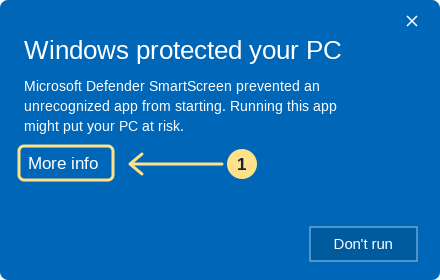
“Windows protected your PC”
More info, then Run anyway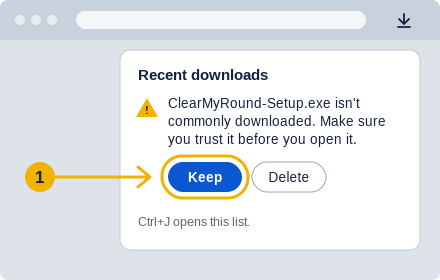
“Isn’t commonly downloaded” or “Suspicious download blocked”
choose Keep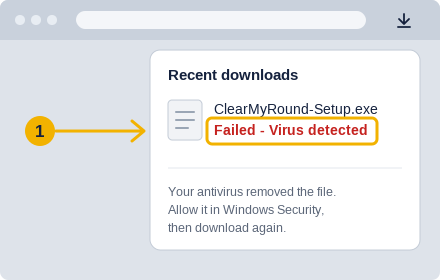
“Failed - Virus detected”
Allow on device, then download again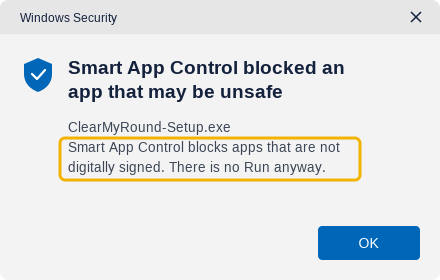
“Smart App Control blocked an app that may be unsafe”
start in your browser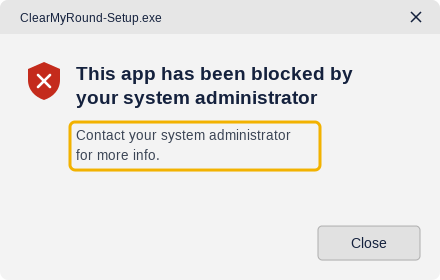
“This app has been blocked by your system administrator”
use your own laptop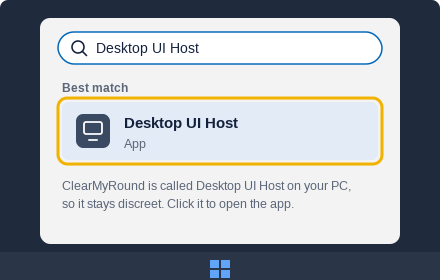
You cannot find ClearMyRound
look for Desktop UI Host
Our installer is not digitally signed yet, which is why these appear. After you download, the next page walks you through each one.
What happens in the first minute
- 1Install itOne installer. No browser extension, and nothing joins your call.
- 2Add your resumePaste it in once, with the job description if you have it. That is what the answers are built from.
- 3Start a sessionJoin the call the way you always do and press start. Both sides are transcribed from that moment.
Invisible on screen share, from the free minutes onward
Answers while they are still finishing the question
Nothing kept on our servers